Nortelink operates agents for several clients from a single installation. Each client must see only its own resources, the agency must be able to access all of them, someone has to pay for usage, and some people at the client must be able to work without being able to break anything. This chapter explains how each of those things is handled, following the onboarding of Clínica del Sol.
Onboarding a client
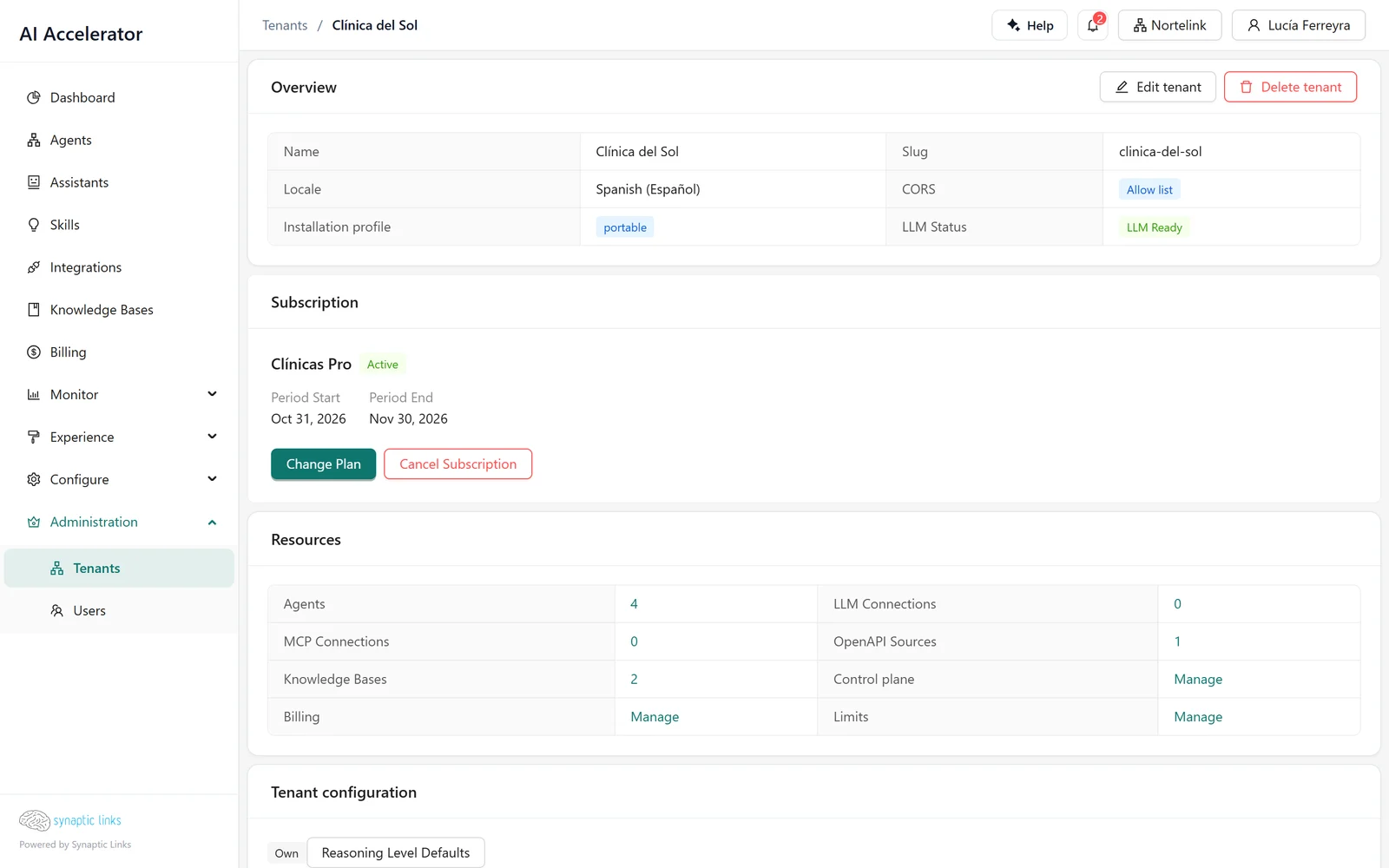
Lucía, owner of Nortelink, creates the clinic's tenant from Administration → Tenants as a child of Nortelink. At that moment four things happen:
- The clinic sits in the tree under Nortelink. Its path starts with Nortelink's (chapter 1).
- Its billing starts as unlimited, which for a child means that the parent pays: the clinic's usage is deducted from Nortelink's balance until someone changes the mode.
- Lucía becomes an inherited owner of the clinic. There is no need to assign her: ownership flows down the tree.
- The clinic inherits models only if a super admin enables connection inheritance for it. Otherwise, it must have its own connections before its agents can respond.
To be able to create the tenant, Nortelink must have child tenants enabled and room within its child limit.
Who pays: billing modes
Each tenant has one of three modes:
- Prepaid. It has its own balance. Each run deducts from it; with a zero balance, it stops responding (chapter 7).
- Postpaid. It consumes and is invoiced afterwards.
- Unlimited. In a child tenant, usage is paid by the ancestor. This is the mode every tenant starts with.
For an agency, the decision is whether each client pays for its own usage (prepaid or postpaid, with its own balance) or whether the agency absorbs the usage and invoices it separately (unlimited). Plans let us package that decision together with limits and features and apply it when the plan is assigned; managing them is a super admin task.
Limits and features
Each tenant has resource limits: users, agents, child tenants, tree depth, storage and webhook endpoints. A limit of 0 means no limit. They are checked on creation: inviting one user too many, creating one agent too many or uploading a document that exceeds storage fails with a quota error.
Features are switches: channels (voice, WhatsApp, Slack, Teams, Instagram), assistants, workflow editor, skills, integrations, templates, API, scheduler, image generation and others. Whatever is not enabled does not appear in the menu, and its API rejects it.
Can the agency turn on features for its clients? Only if three conditions are met:
- A super admin enabled child feature management for the agency.
- The feature to be turned on is enabled in the agency itself.
- No ancestor has it turned off.
The rule is that a tenant can never give its children something it does not have. In the example: if Lucía tries to turn on voice for the clinic without Nortelink having feature management enabled, the platform rejects it.
Limits, per-minute limits, plans and subscriptions are managed by a super admin.
Per-minute limits
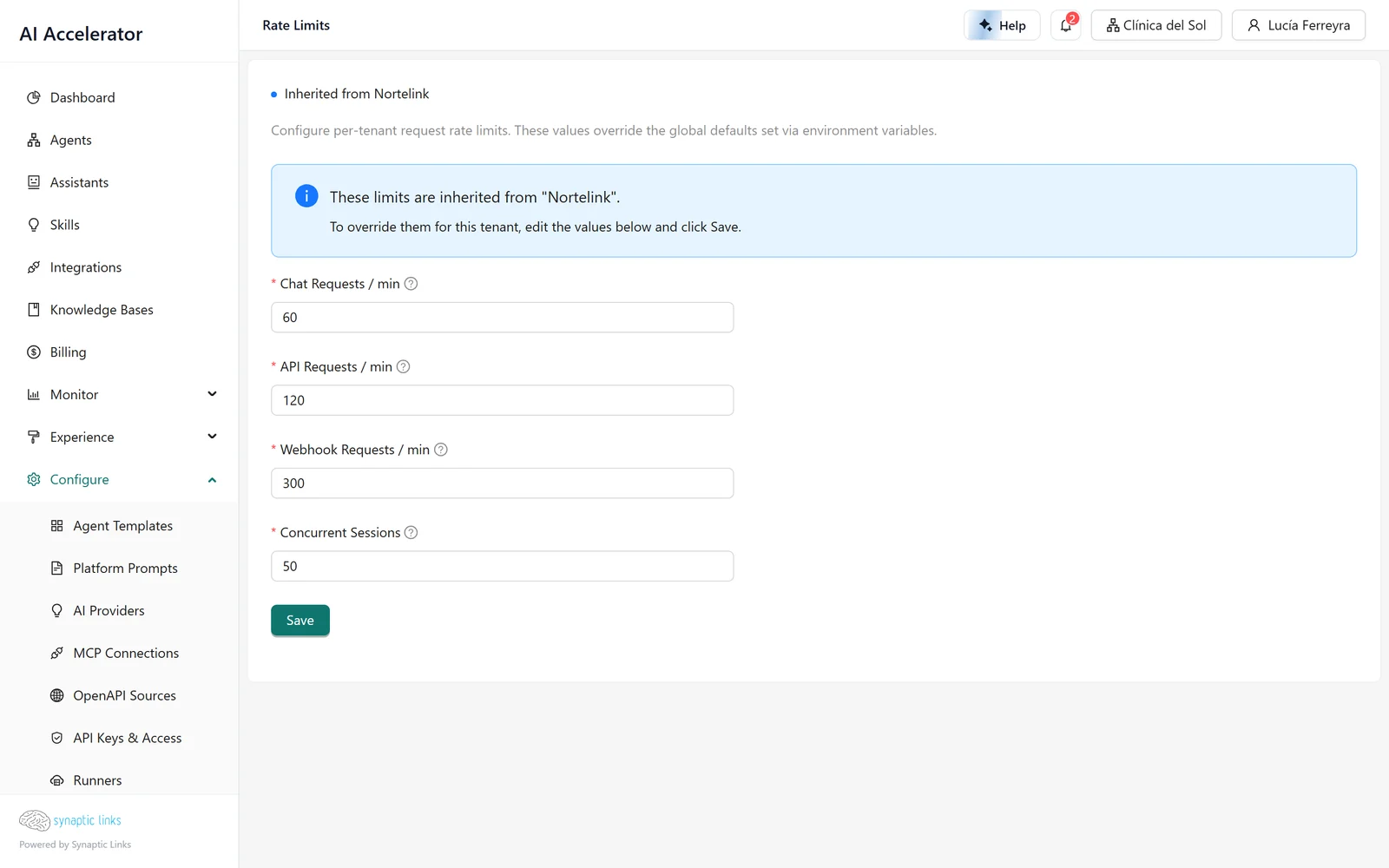
In Configure → Rate Limits, a super admin sets how many requests per minute each tenant accepts for chat (30 by default), API (60) and webhooks (200). A tenant without its own values inherits those of the nearest ancestor that has them: the screen shows who it inherits from, and Reset to Inherited deletes the tenant's own. Changes take up to a minute to apply.
The screen shows in the menu for everyone, but only a super admin can open it. The Concurrent Sessions field is stored, but today it limits nothing.
Users and invitations
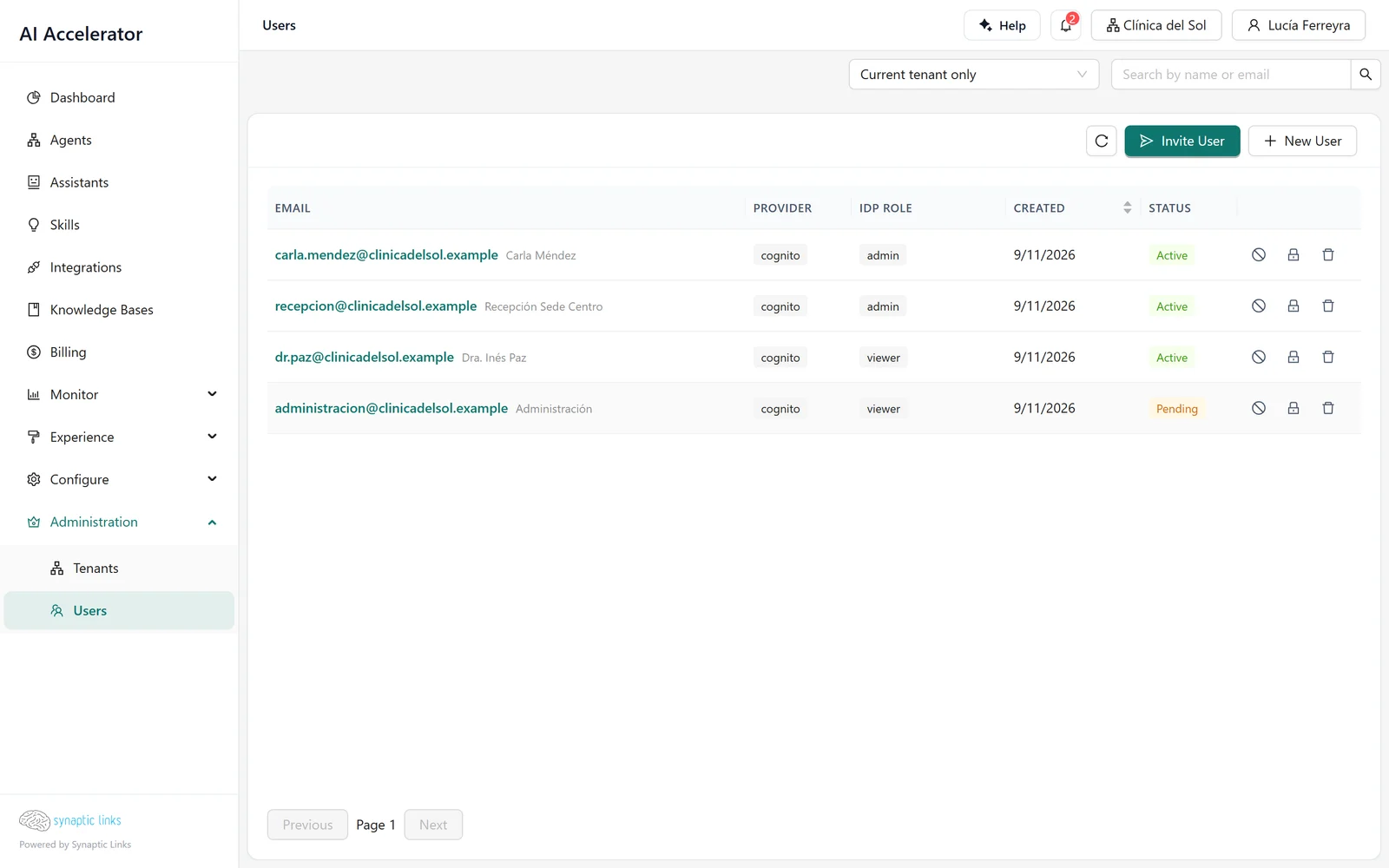
To add someone from the clinic, Lucía invites them with their email, role and language. The invitation is sent by email and is valid for 72 hours; it can be resent, with a one-minute wait between resends. A user who is not a super admin can only invite to their currently active tenant.
The role is chosen based on what that person needs to be able to do (the full table is in chapter 1):
- Viewer for someone who only looks: the clinic owner who wants to see conversations and feedback.
- Admin for someone who works: the person who maintains the knowledge base and adjusts instructions. They cannot delete resources or manage users.
- Owner for someone who manages the tenant. Keep in mind that they can also delete.
For the clinic's team, the usual recommendation is admins. Owners should preferably be from the agency, and be owners by inheritance from Nortelink.
API keys
API keys are for systems, not people: a client integration that calls the agent over REST, an automation that queries the history.
- They have the form
sk_…. The platform stores only a hash: the full key is shown only once, when it is created, and afterwards only its first characters are visible. - They have a role (viewer, admin or owner) and a set of permissions narrowed from a fixed list. A key with broad permissions and the viewer role still cannot write.
- They can have an expiry of up to two years.
Creating keys requires the tenant to have API keys enabled. The widget's public key is a separate case: it only works for the web chat (chapter 6).
Connected applications
Besides keys, the platform is an OAuth server: a client such as Claude Code, Codex or Cursor can connect to the admin by asking for permission, without anyone creating a key. On the consent screen, the person chooses which tenants to grant access to (and whether to include their children), with which permissions and with which maximum role.
- The grant lasts 30 days. The access token lasts 10 minutes and renews automatically.
- Each person sees and revokes their applications in API Keys & Access → Connected applications.
The guide Connect your AI assistant walks through that setup step by step.
Where it stops
- Limits, plans and per-minute limits belong to the super admin. An agency owner cannot adjust them for its clients.
- Child feature management is off by default and is enabled by a super admin.
- In OAuth consent, the chosen role must match the role the person has in that tenant.
- There is no "copy this agent to all my clients": an agent is moved to another tenant by exporting and importing it (chapter 3).
To check
- Each client hangs from the correct parent and has the right billing mode: a child on unlimited is being paid for by the agency.
- The client's users are admins or viewers; the owners are from the agency.
- There are no expired invitations waiting to be resent.
- Each API key has an expiry, the minimum role it needs and a label that says what it is for.
- Connected applications that nobody has used for weeks are revoked.