The clinic's agent answers on the website, over WhatsApp and, for staff, in Slack. These are not three agents: it is one agent with three channels. This chapter explains what a channel does, how the platform decides which messages belong to the same conversation, and what we need to configure for each one.
A channel translates; the agent does not notice
Each channel has an adapter that does two things: it normalises whatever arrives (a WhatsApp message, a Slack event, a voice call) into a common shape, and it formats the agent's response for that channel. The agent always receives the same thing: the text, the session, the attachments and some channel data. That is why the workflow we designed in chapter 3 works the same everywhere.
Channels differ in how they return the response. The web widget shows it as it is generated. WhatsApp, Slack, Teams, the REST API and A2A collect the complete response and send it in one go, because that is how those media work.
How a conversation becomes a session
The platform groups messages into sessions. A session has its history, its summary and its memory, and it is what lets the agent remember what was said before. The key question is: when do two messages belong to the same session?
Each channel builds a conversation identity from the data it has:
| Channel | What identifies the conversation |
|---|---|
| The business number and the user's number | |
| Slack | Workspace, app, channel, thread and user |
| Teams | Installation, organisation, conversation and user |
| Account, user and post (or direct message) | |
| Voice | The call: each call is a new session |
| Web widget | The widget deployment and a private visitor identifier |
| REST API | The calling API key |
In messaging channels, a session stays open as long as there is activity. After 24 hours without messages, the next message archives the previous session and starts a new one.
An example in Slack. A receptionist asks something in a thread; the agent replies. Another receptionist replies in the same thread: for the platform this is another session, because the user is part of the identity. And if the first receptionist returns to the thread two days later, she also starts from scratch. This is intentional: a conversation does not inherit another person's context, nor an old one that no longer applies.
Web widget
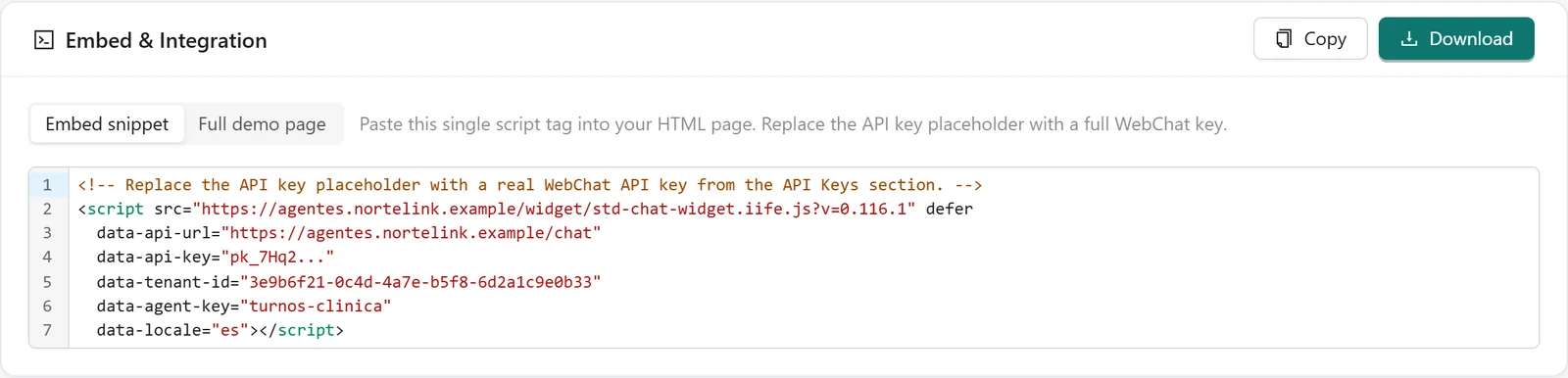
The widget is installed on a site with a single <script> tag. The agent screen generates ready-to-copy code, with the URL, the tenant, the agent, the language and the public key already filled in:
<script defer src="…/widget/std-chat-widget.iife.js"
  data-api-url="…" data-tenant-id="…" data-agent-key="turnos-clinica"
  data-api-key="pk_…" data-locale="es"></script>
Optional attributes control the launcher position, the panel mode (side, floating or inline), its width and voice input. Inline mode (data-panel-mode="inline" with data-container="#chat") shows the chat already open inside an element of your page, without the launcher button: useful for a page dedicated to the assistant.
Two controls protect the widget, because its key is visible in the site's code:
- Restricted public key. The widget key only works for the web chat of that deployment; it cannot be used to call the API or another channel.
- Allowed origins. The tenant defines which domains the widget is accepted from. A site that copies the code onto another domain is rejected.
The widget's appearance (colours, typography, avatar) is defined once for the tenant in Experience → Agent Appearance. Widget templates are something else: structured cards that the agent shows inside the conversation, such as an appointment confirmation with date, practitioner and buttons.
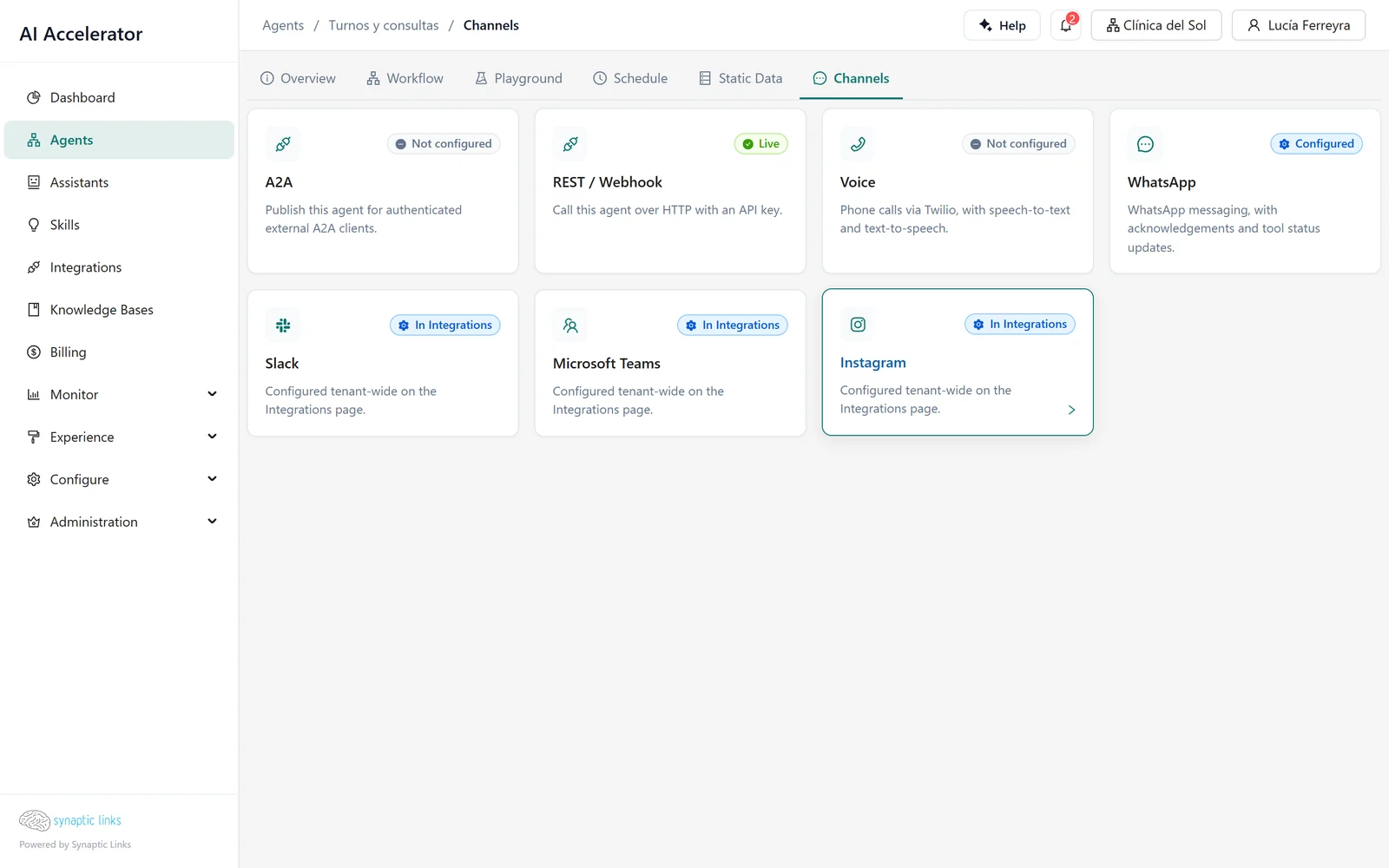
WhatsApp connects in two ways: through Twilio or directly with Meta (WhatsApp Cloud). Both are configured from the integrations catalogue and verify the signature of every incoming message, so nobody can impersonate WhatsApp to talk to the agent.
The WhatsApp connection belongs to the tenant. With Twilio, the agent is decided by the webhook URL configured in Twilio for each number, and the agent's Channels tab defines how it answers (Connect Twilio). With Meta, the agent is chosen in Integrations → Meta Business, and there is one number per tenant; the guide Connect Meta: WhatsApp and Instagram explains it step by step.
Slack, Teams and Instagram
These three are configured at tenant level, in their integration, not per agent. Each one verifies the origin of messages: Slack with a signature and protection against replays older than five minutes, Teams with the Microsoft token, Instagram with Meta's signature.
Voice
The voice channel answers phone calls through Twilio, Telnyx or your own Asterisk PBX. Each call is a new session: the agent does not remember previous calls from the same number. Chapter 14 explains it end to end.
API and other agents
- REST API. Our own system writes to the agent with an API key. If the body contains a message, it is a conversation; if it does not, the whole body is passed to the agent as trigger data, for automations.
- OpenAI-compatible. The agent is exposed with the same shape as the OpenAI chat API, for tools that already know how to talk to it.
- A2A. The agent is published so that agents on other platforms can call it with the A2A protocol. Its agent card is requested with an API key.
API keys have a role, permissions and an expiry (chapter 8). The contracts and errors of all three are in the guide Calling an agent from your system.
Where it stops
- The widget supports Spanish and English.
- WhatsApp through Meta and Instagram only process text and buttons: audio, images and documents are dropped.
- Voice does not resume conversations between calls.
- REST and A2A do not stream the response as it is generated; they return it complete.
- Slack, Teams and Instagram are not configured per agent, but per tenant.
- Messaging sessions are renewed after 24 hours of silence; that period cannot be adjusted.
To check
- The tenant's allowed origins include every domain where the widget is, and no others.
- The published widget code uses a public widget key, not an ordinary API key.
- Each WhatsApp number has the correct agent assigned: in the webhook URL with Twilio, in Meta Business with Meta.
- If the agent needs to remember something beyond 24 hours, it stores it in memory and does not rely on the session history.
- Channel integrations show their signature verification configured.